Features
Discover everything Total Traction has to offer
🎯 Training Mode
Practice Winter Driving Year-Round
This is the killer feature that sets Total Traction apart. Training Mode lets you practice winter driving skills on dry roads by artificially limiting the traction threshold.
Example: Ice Mode Training
Drive around an empty parking lot with the app set to "Ice" mode. Try to make turns, accelerate, and brake without triggering the audio alerts. You'll quickly learn the gentle inputs needed for actual icy conditions.
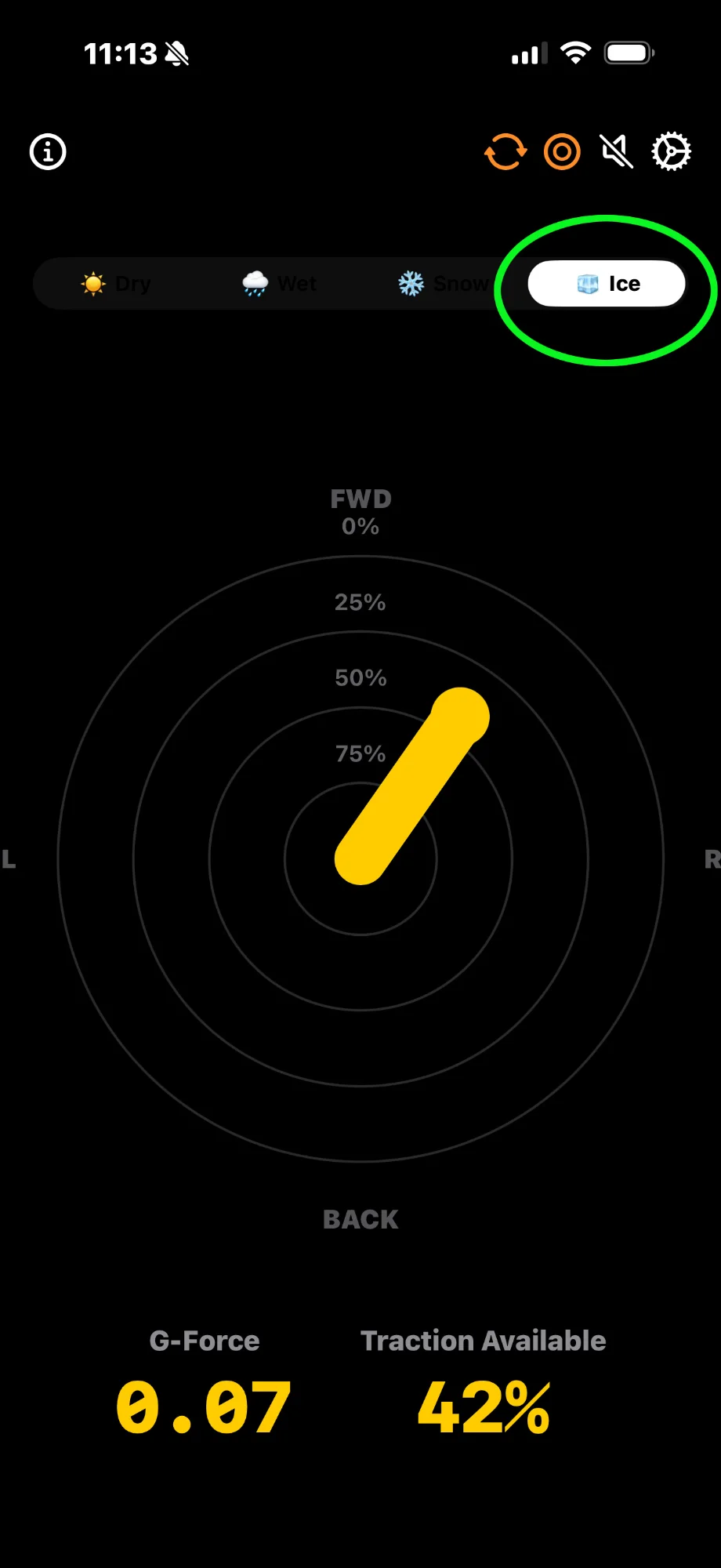
📊 Real-Time Traction Monitoring
Live Percentage Display
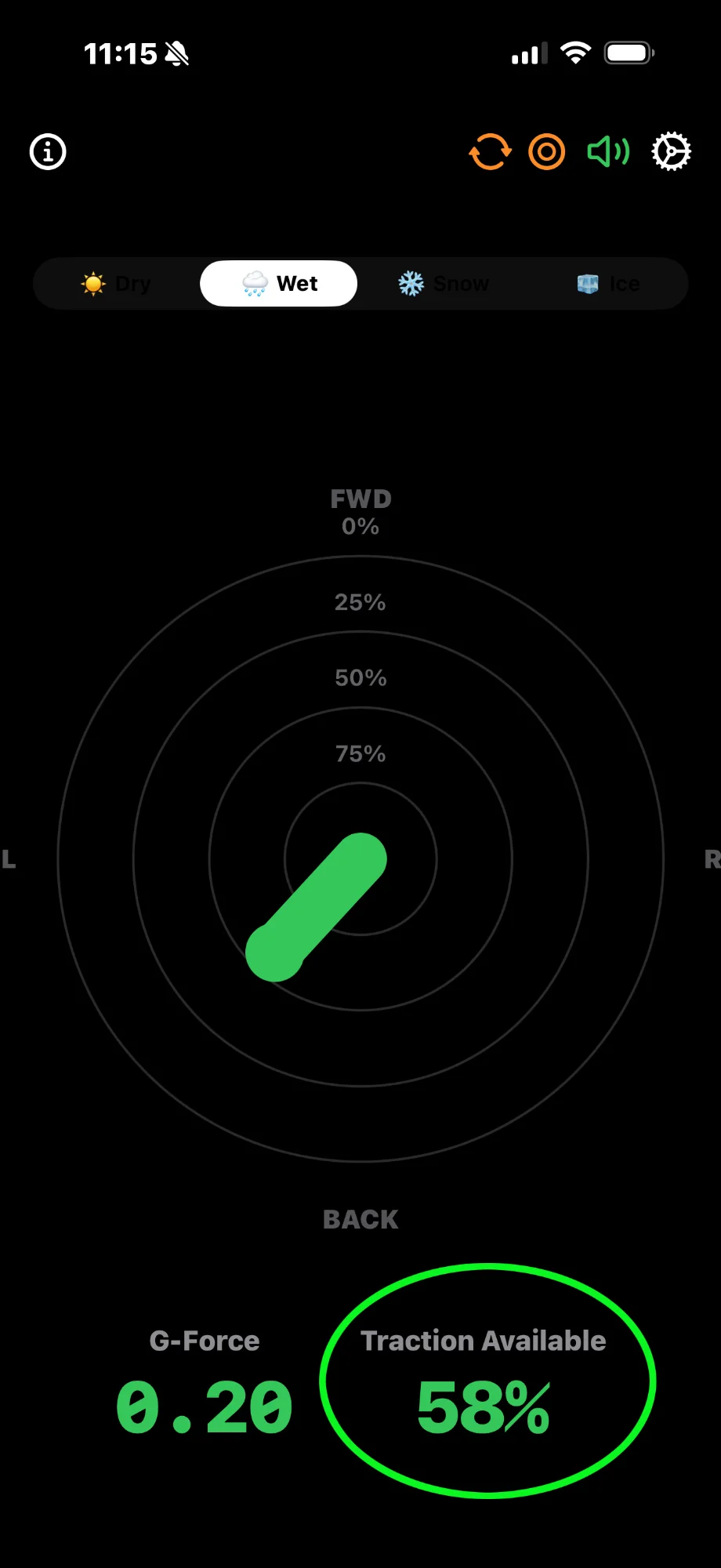
See exactly how much of your available tire grip you're using, updated 60 times per second. Unlike raw G-force apps, Total Traction shows meaningful traction percentage based on current road conditions.
Color Coding System
🔊 Audio Alerts (Variometer-Style)
Know Your Limits Without Looking
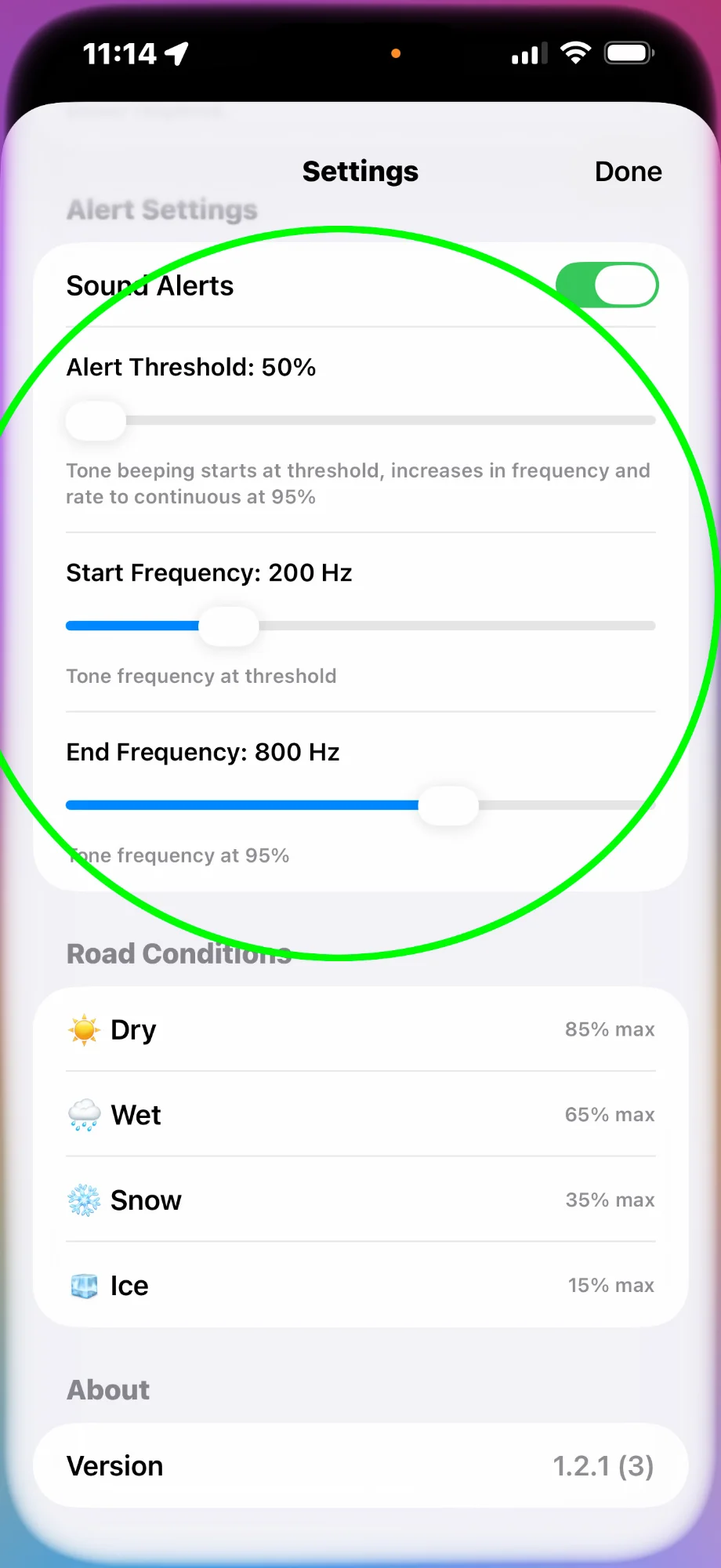
Real-time audio feedback that increases in pitch and rate as you approach your traction limits. Inspired by variometers used in aviation and soaring.
What You'll Hear
Low beep rate, low pitch: You're using moderate traction (50-70%)
Increasing beeps, rising pitch: Approaching limits (70-85%)
Rapid, high-pitched beeping: You're skidding! (85-100%+)
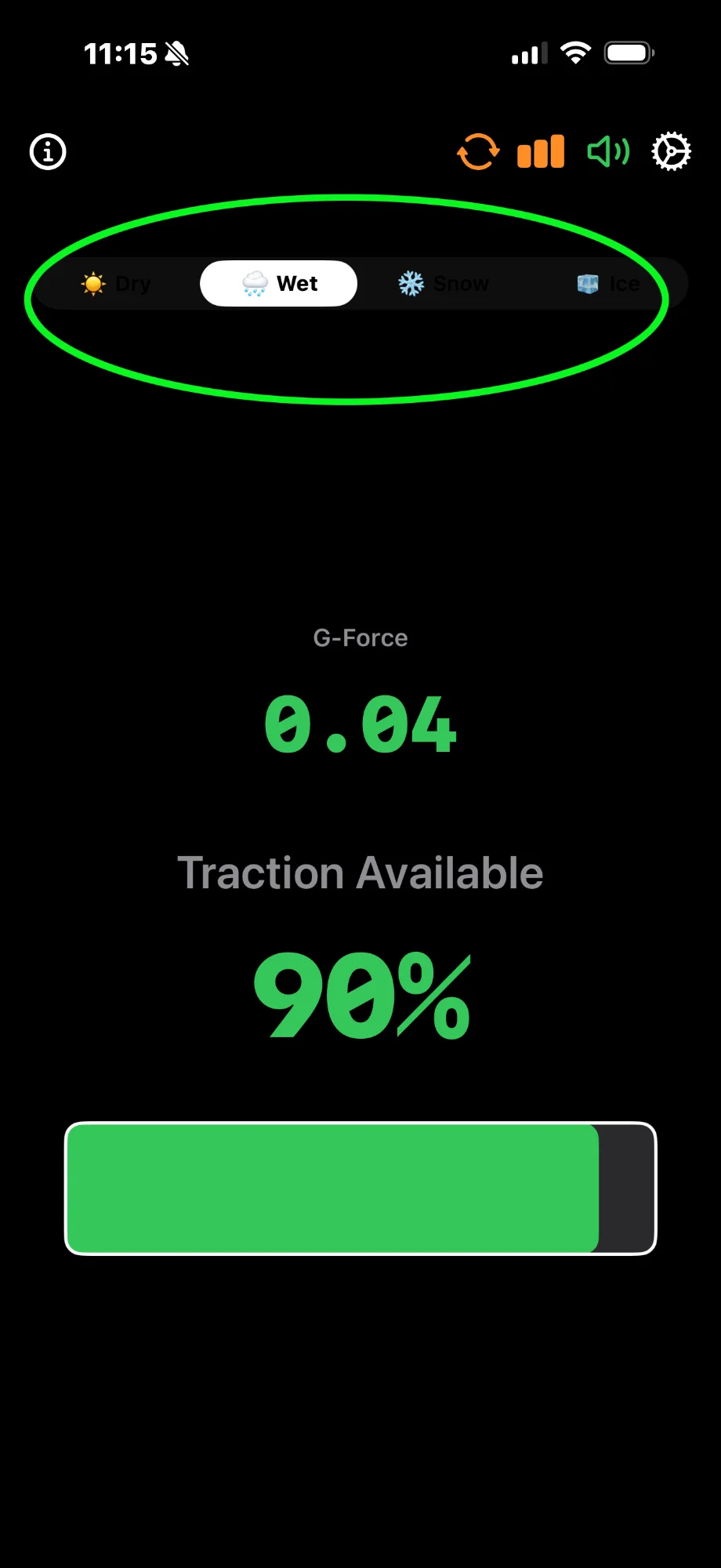
🌦️ Road Condition Presets
Accurate Traction Limits for Every Situation
Four scientifically-based presets that define maximum available traction based on typical road conditions and tire capabilities.
Dry
Sunny weather, good pavement, proper tires
Wet
Rain, damp roads, reduced grip
Snow
Snow-covered roads, winter tires
Ice
Icy conditions, minimal grip
🌐 Dynamic Normal Force Compensation
Real Vehicle Dynamics, Not Just Raw Data
Total Traction doesn't just measure lateral forces—it accounts for how road geometry affects available traction in real-time.
🏔️ Banked Curves
More traction available as normal force increases. The app dynamically adjusts the maximum percentage based on banking angle.
⛰️ Crests of Hills
Less traction available as normal force decreases (car gets "light"). Critical for safe high-speed driving on undulating roads.
🕳️ Dips & Compression
More traction available as normal force increases in compression zones. Important for understanding vehicle behavior.
The Physics
Available traction = μ × N, where μ is the road condition coefficient and N is the normal force. N changes constantly based on road geometry. Total Traction calculates this in real-time using sophisticated vector decomposition.
📐 Vector Display & Bar Chart
Two Ways to Visualize Your Traction
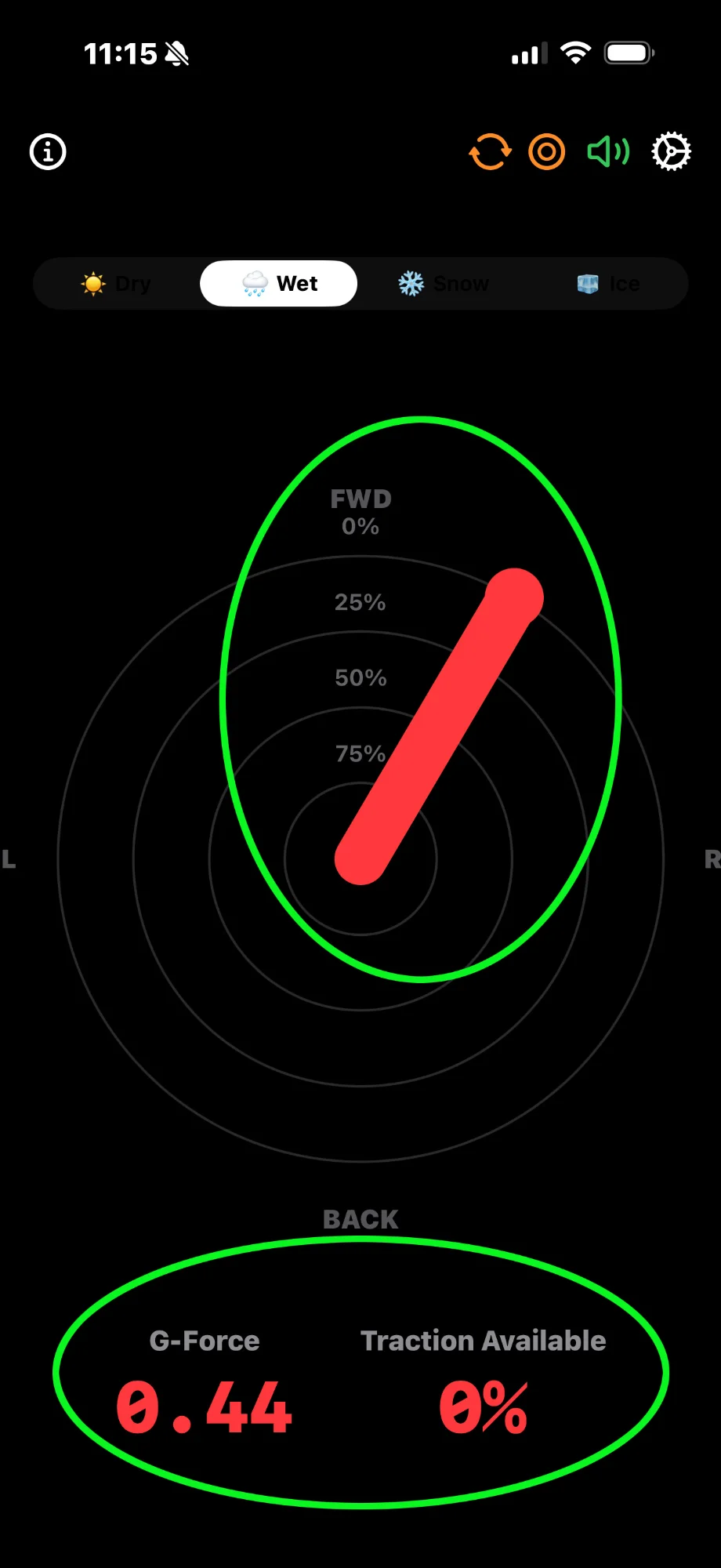
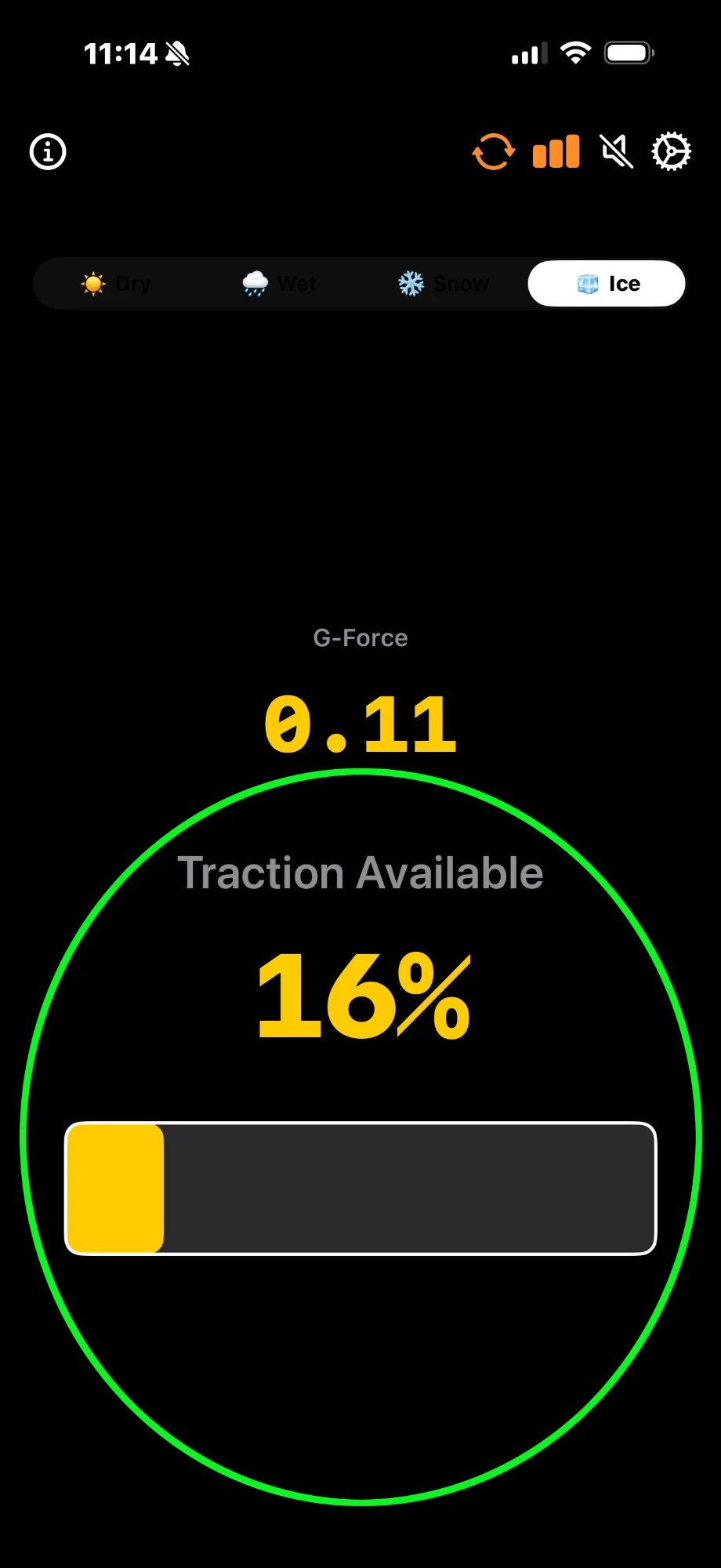
Toggle between vector mode (directional arrow showing lateral forces) and bar chart mode (traditional horizontal bar display).
Vector Mode
- Directional arrow shows force direction and magnitude
- Concentric rings at 75%, 50%, 25%, and center (0%)
- Great for understanding cornering dynamics
- Visual feedback matches what you feel
Bar Chart Mode
- Traditional horizontal bar that grows/shrinks
- Familiar interface for quick glances
- Color-coded zones clearly visible
- Ideal for training focused on smooth inputs
⚙️ Quick Calibration System
10-Second Setup
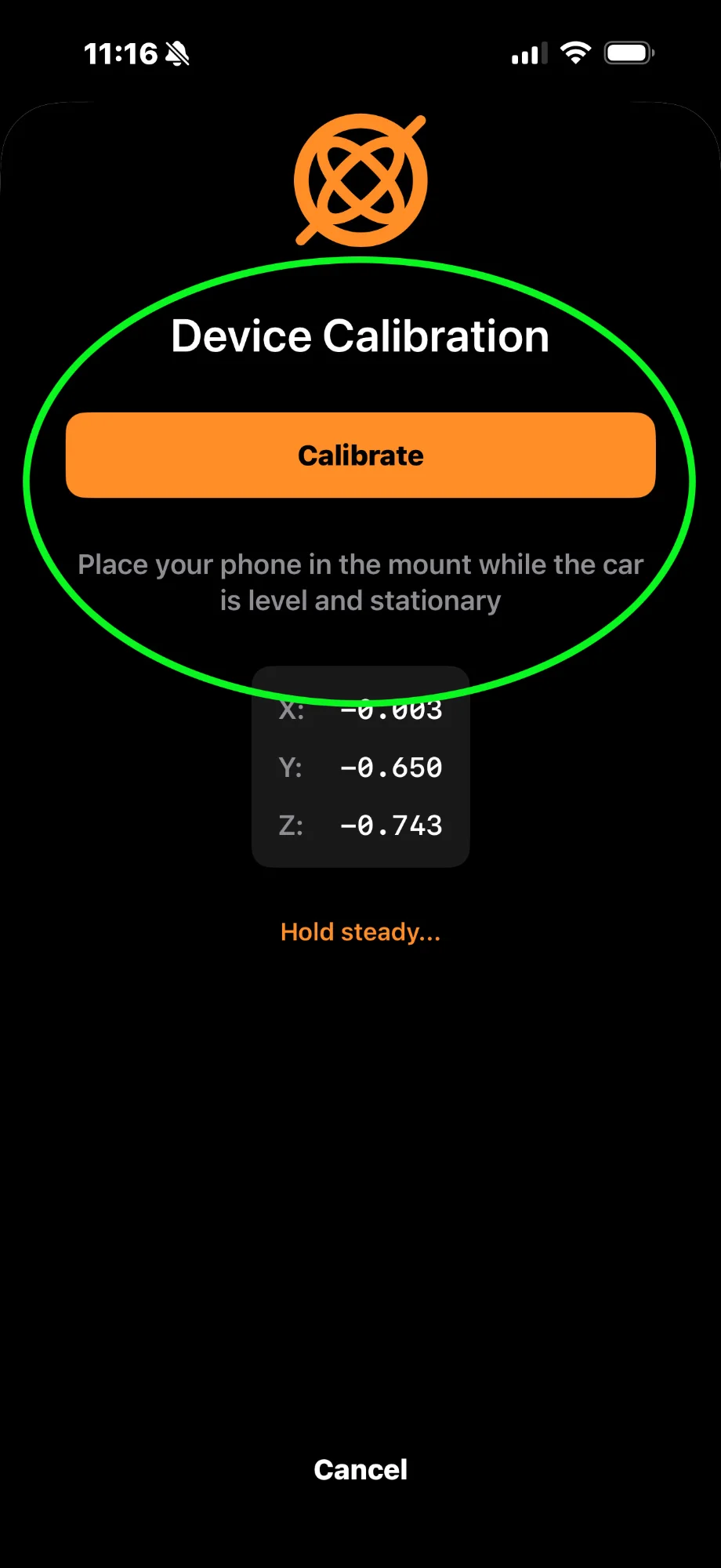
Fast, accurate calibration while parked on level ground. The app automatically determines the gravity vector and accounts for your phone mounting angle.
Park on Level Ground
Find a flat surface and ensure your vehicle is stationary
Tap Calibrate
Press the calibration button in the app
Wait 10 Seconds
App determines gravity vector and phone angle
Start Driving
Settings persist across app launches
Note: Recalibrate if you change phone mount position or orientation.
Additional Features
Screen Sleep Prevention
Screen stays on during monitoring so you can always see your traction usage. Minimal battery impact—similar to navigation apps.
No GPS Required
Works anywhere using only your iPhone's accelerometer. No internet connection needed. No external hardware required.
Customizable Settings
Adjust audio threshold, pitch range, beep rate, and display preferences to match your training style and preferences.
Persistent Settings
All settings, including calibration, road condition, and audio preferences, are saved between app launches.
Experience All Features for $2.99
No subscriptions. No in-app purchases. All features included forever.